How to patch the game
About the ROM
You need a Pokémon HeartGold (US) ROM, and you have to source that yourself. Sharing ROMs is illegal — don't ask anyone here for one. Only the patch is distributed, which is why patching is a step you do rather than a download you take.
There is no pre-patched ROM anywhere. Anyone offering one is either faking it or handing you a bad build — trading, the online GTS and Mystery Gift only work on a ROM you patched yourself.
What you need first
- An emulator. Recommended: melonDS
- The patch, from the official site — pokehacking.com/fangames/light-platinum
- A Pokémon HeartGold (US) ROM — yours to find, see above
- A patcher. On Windows the downloaded zip already contains one
(
DeltaPatcherLite.exe). On anything else use kotcrab.github.io/xdelta-wasm — open source, and it runs locally in your browser through WebAssembly, so your ROM is never uploaded anywhere.
Check your base ROM before you start
The patch expects exactly 4780 - Pokemon HeartGold (U)(Xenophobia).nds,
CRC32 FFD28F00. A different dump is the single most common reason patching
fails or produces a broken game.
The steps
- Get the patch from the official pokehacking page listed above. Nowhere else.
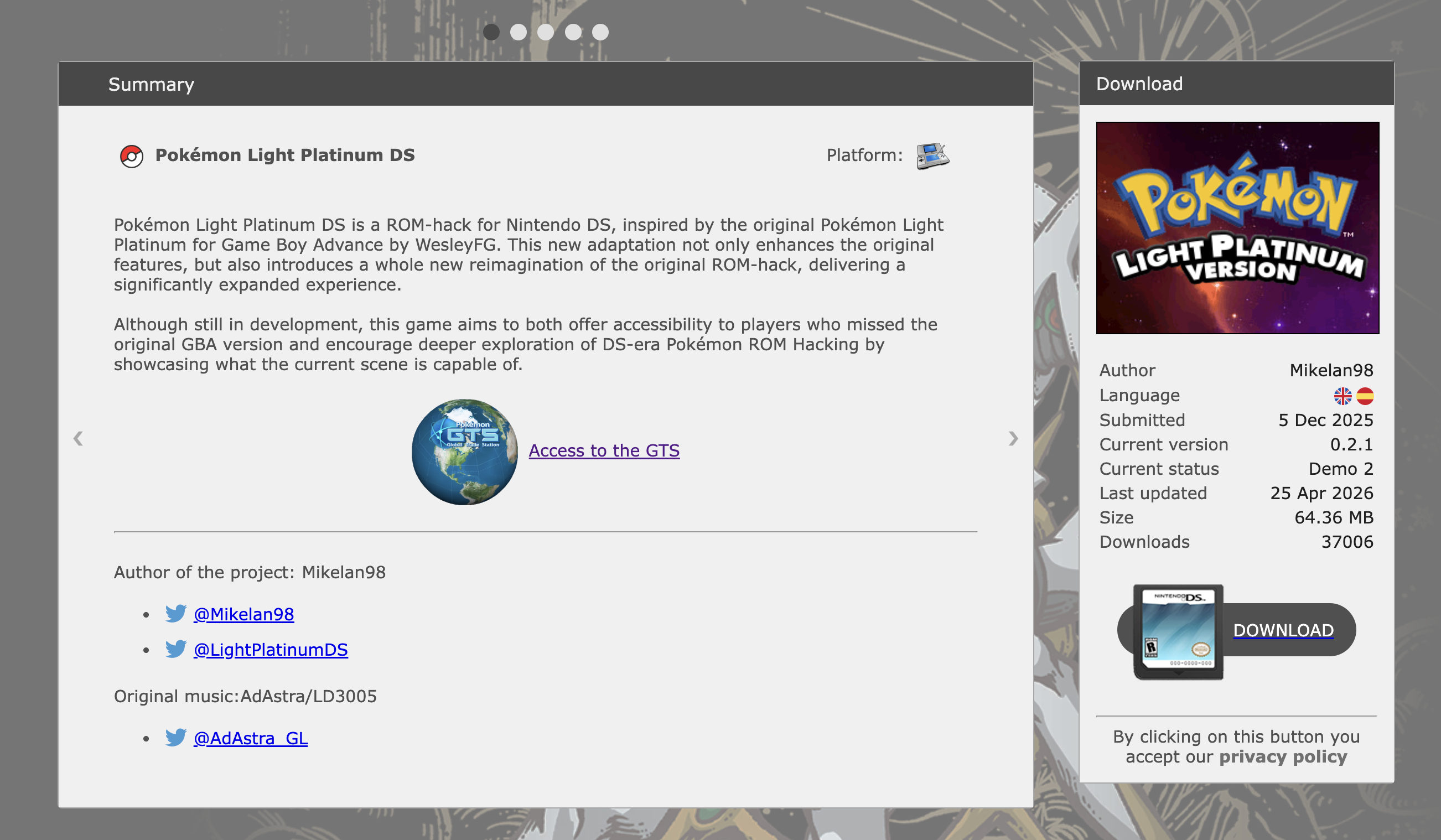
The download page at pokehacking.com - Unzip it. 7-Zip, WinRAR or your system's built-in unzip all work — opening the
.zipin your file manager generally makes a folder of the same name beside it. Inside you'll find: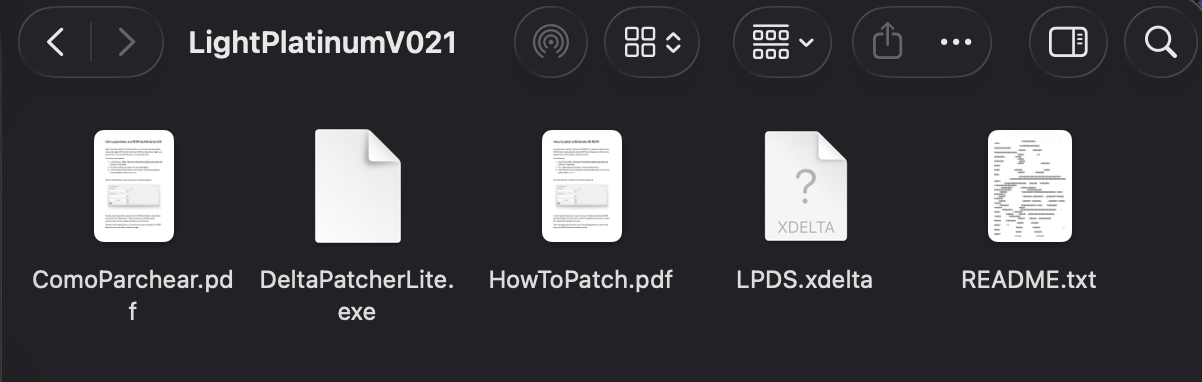
Inside the unzipped folder — LPDS.xdelta is the patch - On Windows: open
HowToPatch.pdfand follow it. In Delta Patcher Lite, set Original file to your HeartGold.nds, set XDelta patch toLPDS.xdelta, then click Apply patch.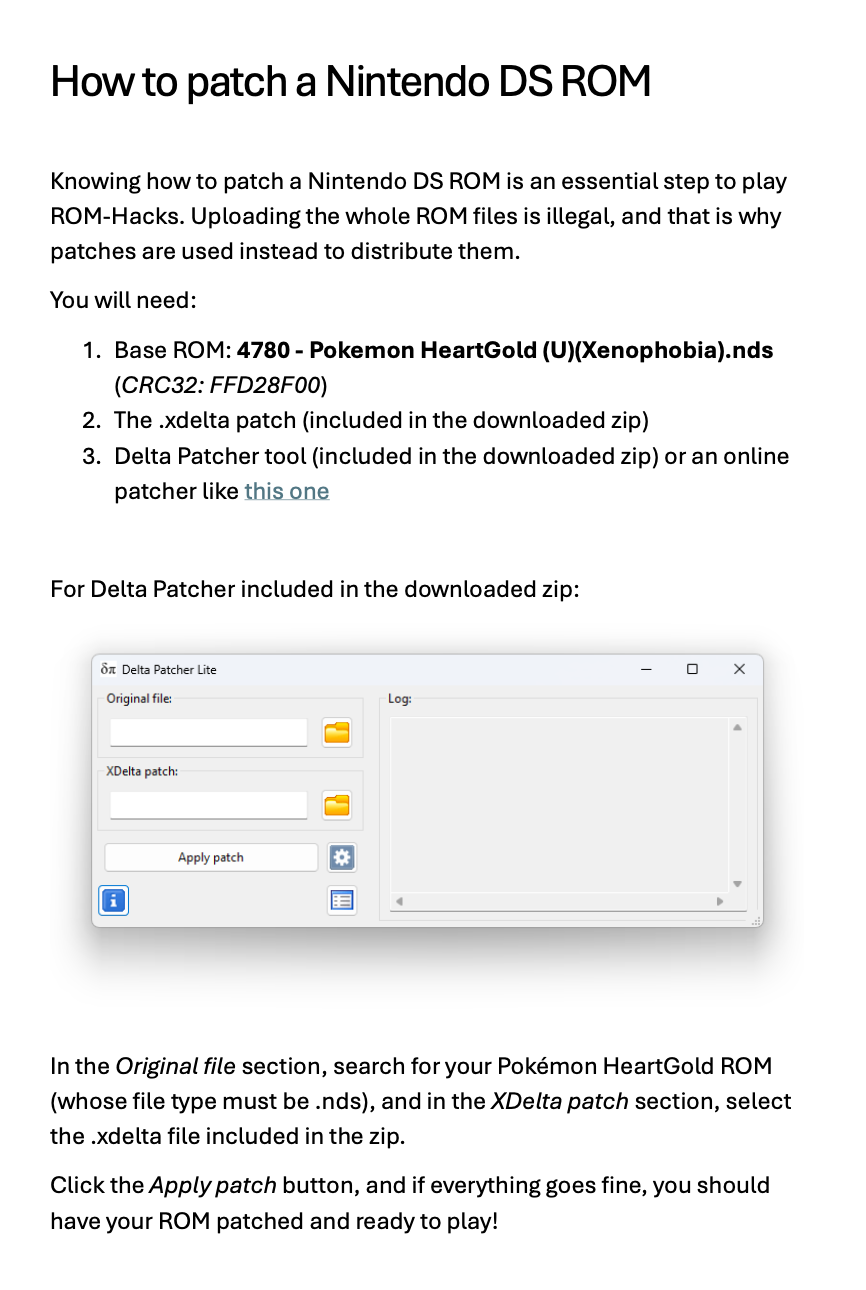
HowToPatch.pdf, included in the zip — the Windows route - On anything else: open
the xdelta-wasm patcher.
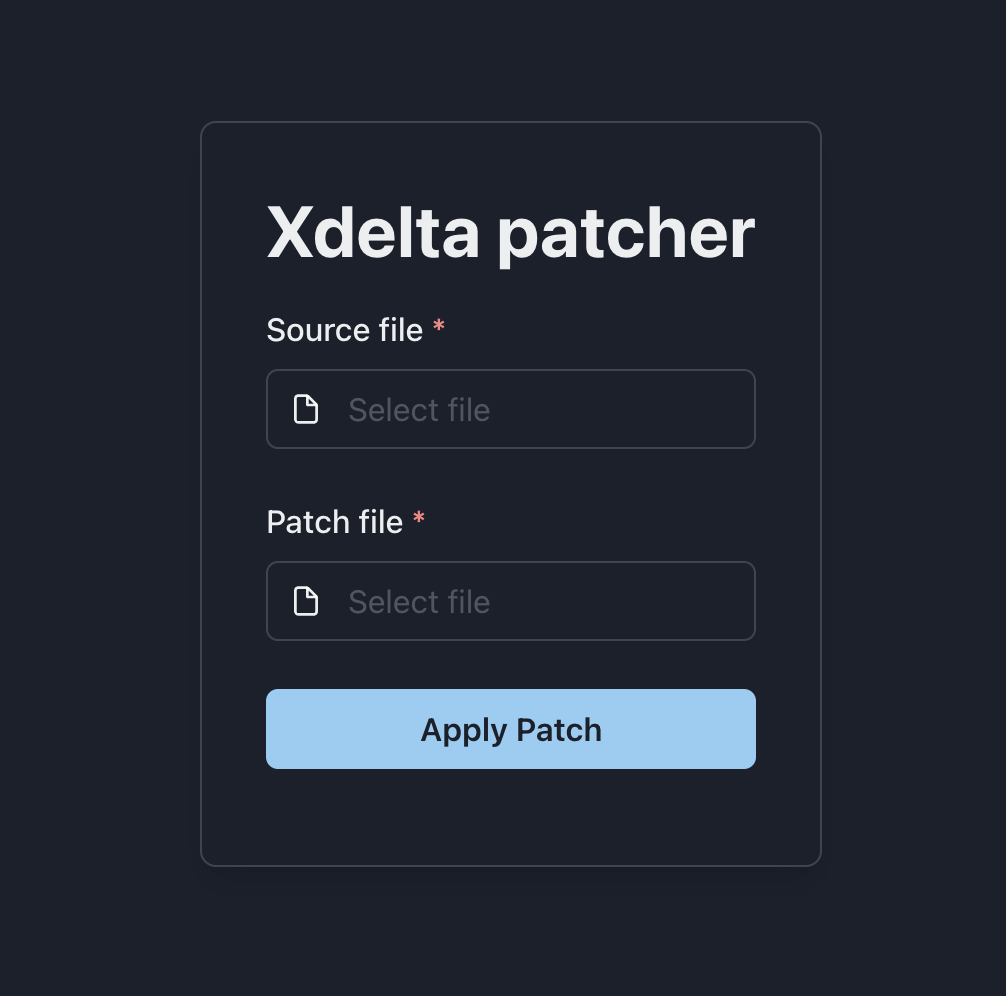
The xdelta-wasm patcher, before you choose anything - Set the two files. Source file is your HeartGold ROM;
Patch file is
LPDS.xdelta. Hit Apply Patch and it produces the patched ROM as a download.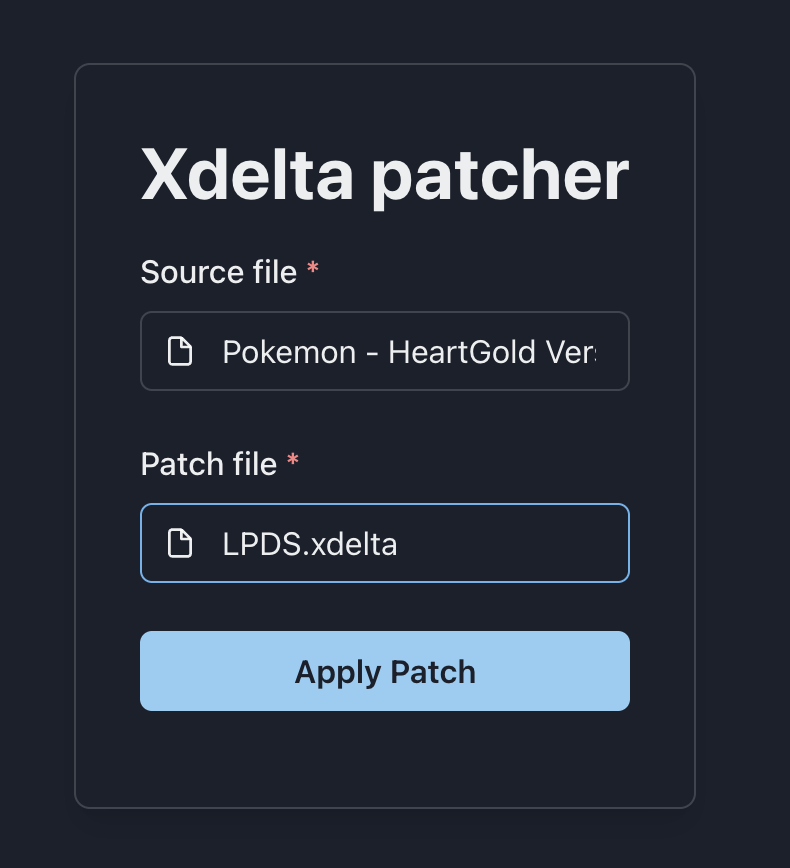
Source file and patch file both set, ready to apply - Rename it. The output is named after your input —
Pokemon - HeartGold Version (USA)-patched.nds, around 268 MB. Rename it to something likePokemon_Light_Platinum_DS.ndsso you can tell them apart.
The patched ROM — your input name plus “-patched”


Load that file in melonDS and you're playing.